 TopoKin
For the organizer
One person (usually whoever installs it first) creates the group. Everyone else joins with an invite. New to TopoKin? Do steps 1 and 2 of Getting started (install, first start) first.
Create the group
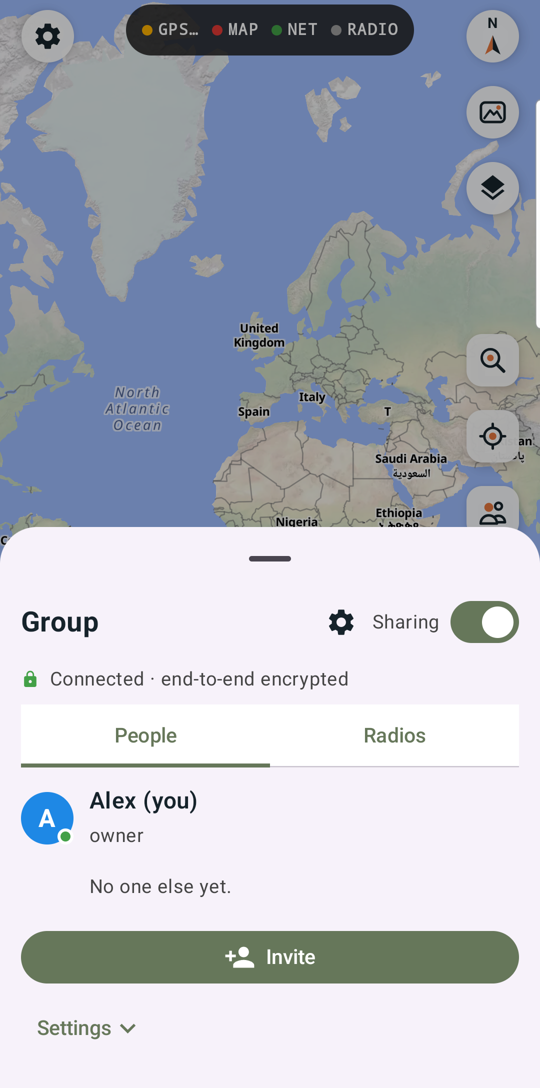
Group (right side) › enter your name › Create a group. You're the group's owner.
Invite your kin
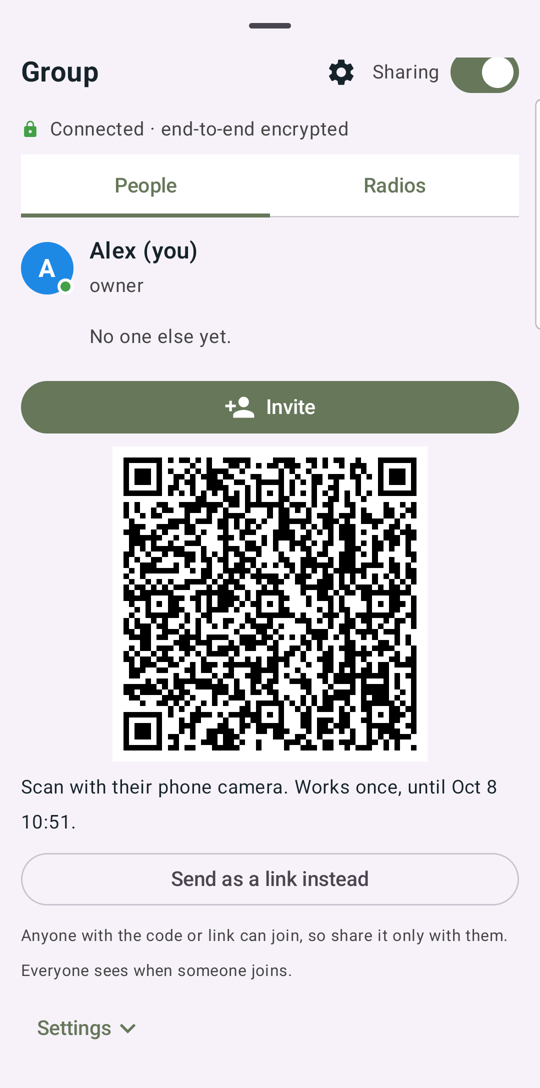
Group › People › Invite shows a QR code: they scan it with their phone's camera. Or tap Send as a link instead and text it. An invite works once and expires, and everyone sees when someone joins. Inviting needs internet.
Send them Getting started too.
Admins and members
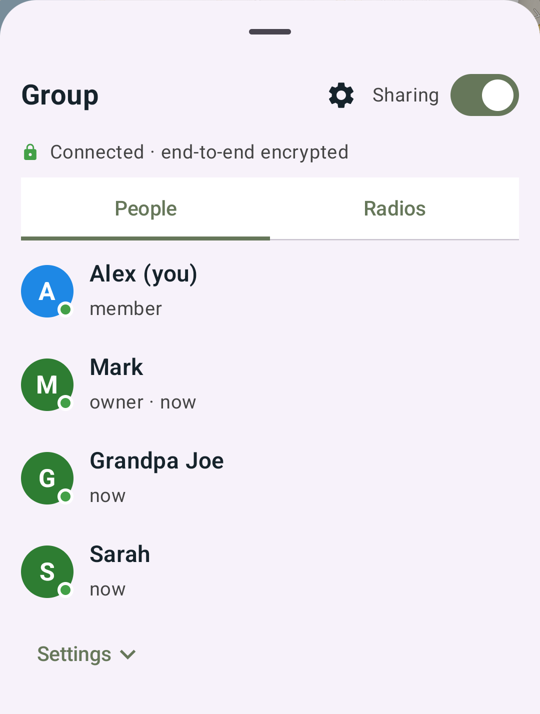
Tap ⋮ on someone in Group › People to Make admin (admins can invite and remove members) or Remove from group. The owner can't be removed.
Radios
Each person who carries a radio pairs it with their own phone (Your own radio). TopoKin puts every radio in the group on the same private channel automatically.
Kin without the app (kids, guests, the dog) get trackers: hand them out from any phone in the group, and set alerts on yours. Print a tracker card for each.
Before a trip
- Get maps for the area on every phone (Getting started › maps).
- Charge radios. Ready? shows each tracker's battery and whether it's been heard.
- Agree on a rally plan ("if we split up, the truck") and set a Rally here at the trailhead.
Group settings
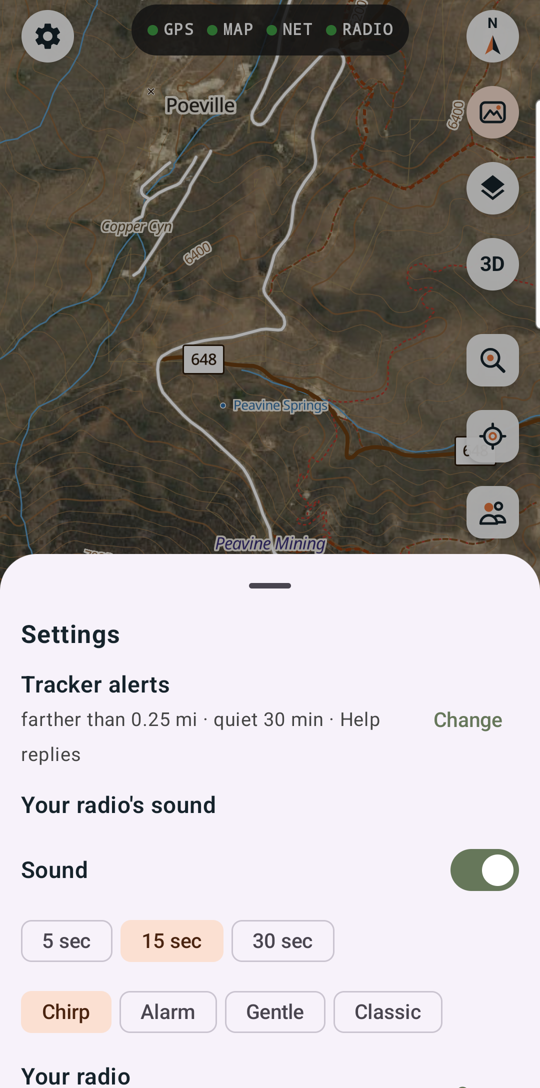
Group › People › Settings: change your name, see the group code, or leave the group. App-wide settings (alerts, your radio's sound, map layers) are under ⚙ Settings, top left.
AI helper (optional)
A separate desktop helper can join the group as "🤖 AI helper" and add places for you (for example, hunting units from a Fish & Game PDF). It's optional and set up separately on a computer.