 TopoKin
Help and troubleshooting
Start with the status lights at the top of the map: tap them for what each one means and a button to fix it. Ready? (bottom) checks everything at once.
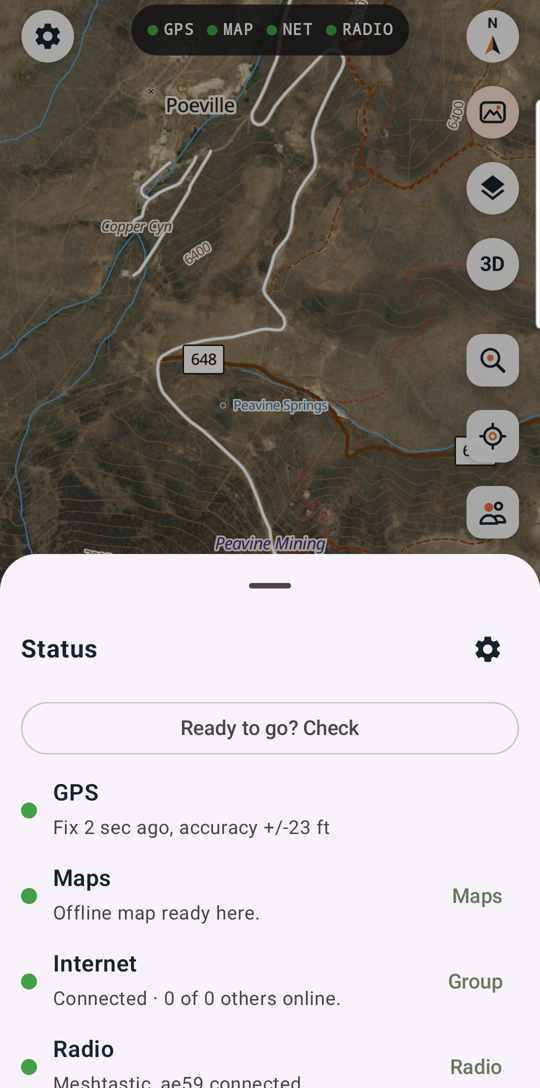
The map is blank or "No offline map here"
You're outside the squares you downloaded. With signal, the online map shows; without, get maps for the area first (how). If a download stopped, tap the pill at the top to retry.
The map doesn't show where I am
Tap Center on me (right side). If the GPS light isn't green: turn on Location in Android, and allow Location for TopoKin (Android Settings › Apps › TopoKin › Permissions).
My kin aren't showing
- They need to be in the group (Group › People) and sharing (the switch at the top of Group).
- Their dot appears once their phone has sent a position. Ping asks for a fresh one.
- No internet? Positions only travel by radio between phones with paired radios.
A message says "not sent"
At that moment there was no internet and no connected radio. Send it again once the NET or RADIO light is green.
My radio won't connect
- Is it on and charged? Keep it within a few feet of the phone.
- Bluetooth on? Location on (Android needs it to find radios)?
- Group › Radios › Your radio: tap Find my radio. If it asks for a PIN, read it off the radio's screen.
- Still stuck: Forget it and pair again. TopoKin sets it up again by itself.
- Radio stuck and won't start normally? Meshtastic radios can be re-flashed over USB; see the radio maker's guide.
A tracker isn't on the map
- It shows once its GPS has a fix: outdoors, a minute or two.
- Something has to hear it: your radio, or another of your group's radios within range (relayed to you by internet).
- After a lost radio was reported, trackers not updated show On the old radio key: hold it near your phone and tap Update.
Alerts don't go off
- Settings › Tracker alerts: are they on?
- Android: allow notifications for TopoKin, and in Android Settings › Apps › TopoKin › Battery choose Unrestricted so it keeps running in your pocket. Ready? checks both.
- "Too far" needs your own position too (GPS on).
The compass for bearings is off
Move the phone in a figure 8, away from metal (cars, rails), and hold it flat.
Still stuck? See Support.